
Ticket Tracker is a tool that Administrators may use to track internal issues that require follow-up. To access Ticket Tracker, click Tracker on the top navigation menu.

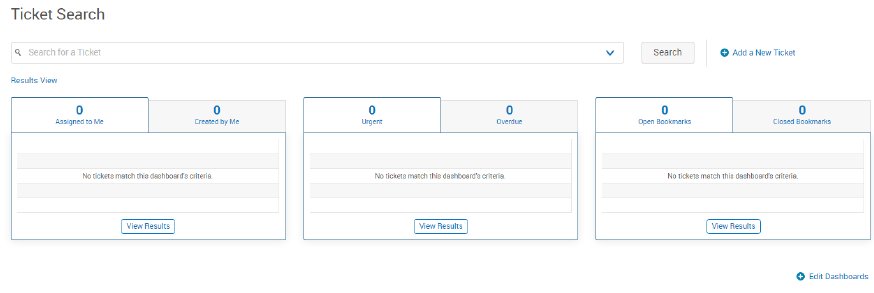
By default, all users will have three dashboards enabled as soon as they open their Tracker landing page: My Tickets, Escalated Tickets, and Bookmarked Tickets.
| Type | Description |
|---|---|
| Ticket Search | Administrators can search by ticket ID and keyword (ticket title & ticket details) in the main search bar located at the top. Once search terms have been entered, pressing enter or clicking the Search button pulls up all available results. |
| Create Ticket | Administrators can use this page to create tickets. Click on Add a New Ticket. |
| Tracker User Admin | The Tracker User Admin page is where administrators can add new Tracker users, edit existing Tracker user information, as well as manage group assignments and team members. |